Business Overdraft Accounts
Business Overdraft Accounts is a type of bank account where an overdraft limit is set, and customers can withdraw the amount up to the limit approved by the bank.
Business Overdraft Accounts Workflow
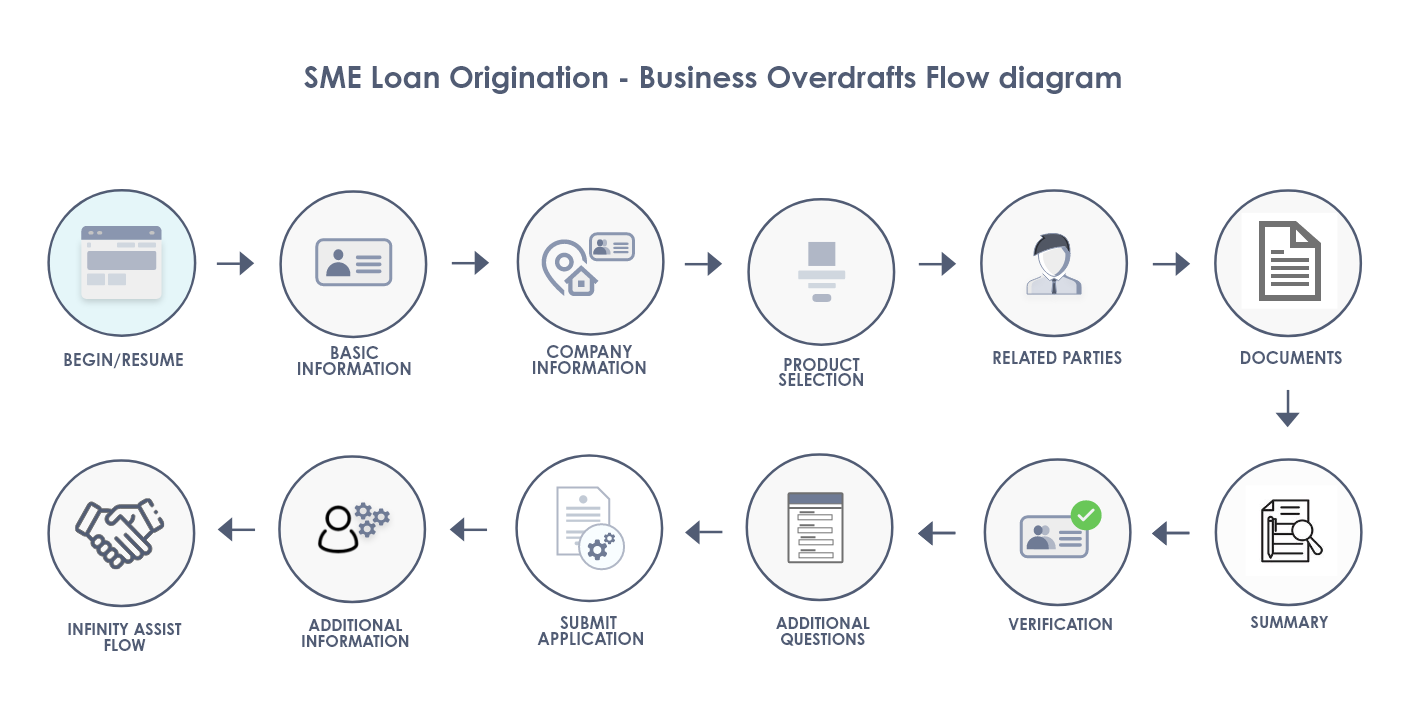
Business Overdraft Accounts workflow illustrates the sequence of steps from start of an application till submission of an application in the Origination App.
Process Workflow
When an existing customer or prospect customer selects Business Overdraft Accounts in the Product Group Dashboard, the road map in the Origination App for Business Overdraft Accounts is as follows:
- Basic Information
- Company Information
- Product Selection
- Related Parties
- Documents
- Summary
- Verification
- Additional Questions
- Submit Application
- Additional Information
UX Overview
This section provides an overview of the Business Overdraft account.
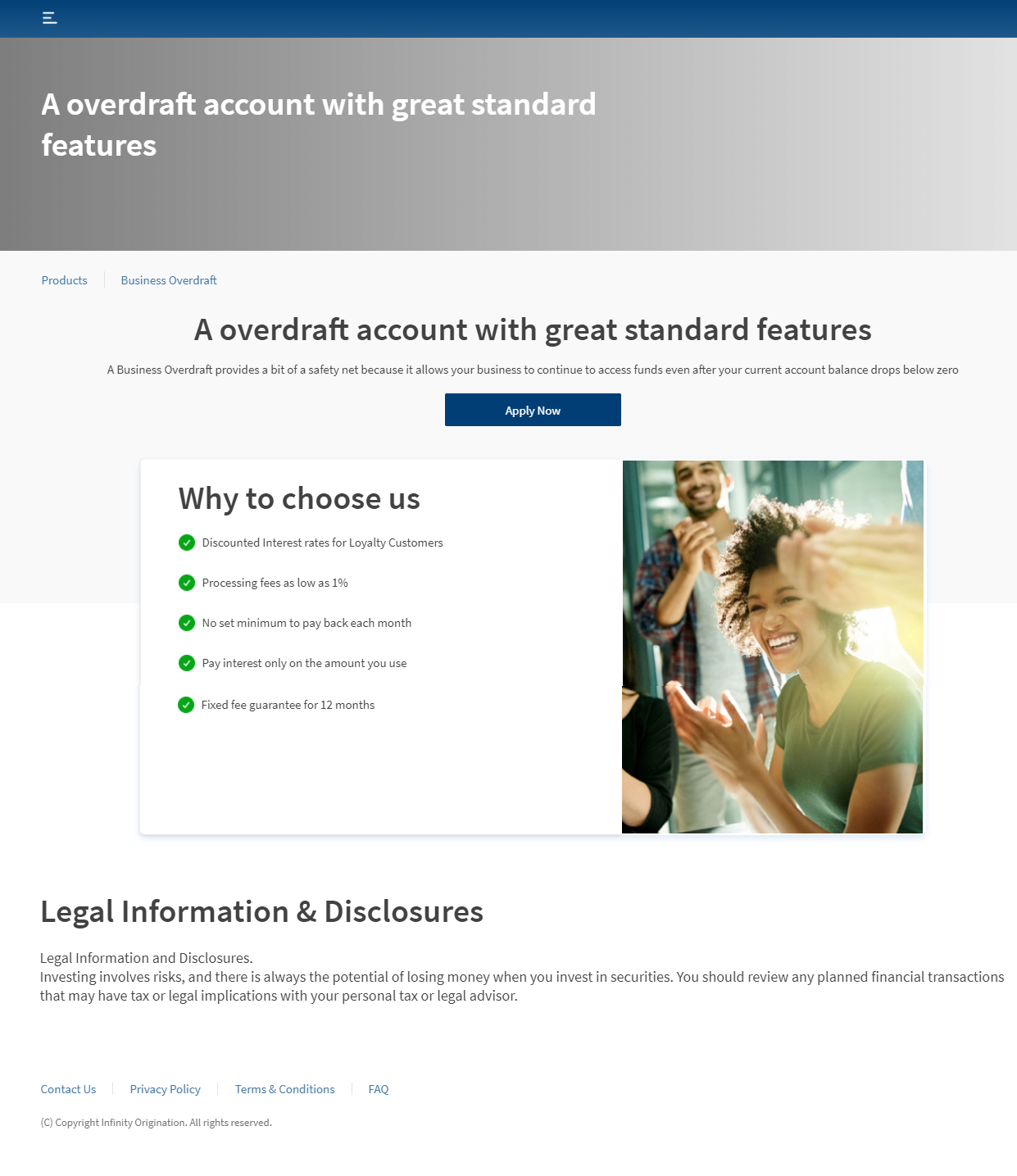
After you choose Overdraft Accounts on the Product group dashboard, the Business Overdraft details page appears.
This section provides more reasons to open an Overdraft account. Important Disclosures at the end of the section contains vital information that the users must consider while applying for a loan. Click Apply Now to get started with creating a Business Overdraft application. The User Type section appears. Then proceed to provide company details.
You can further choose the Overdraft details such as Overdraft amount and purpose in the Product Details section later in the flow. For more information, refer to Product Details.
Reference Table
| Journey | Product | Road Map in the Origination App for Prospect Customer & Existing Customer |
|---|---|---|
| SME Loan Origination | Business Overdraft Loan | Basic Information > Company Information > Product Selection > Related Parties > Documents > Summary >Verification > Additional Questions > Submit Application > Additional Information |
Components
The Business Overdraft dashboard contains the following list of components:
| Component Name | Instance Name |
|---|---|
| com.olb.common.BrowserCheckPopup | BrowserCheckPopup |
| com.nuo.loadingV3 | loadingV3 |
| com.dbx.Explore | Explore |
| com.dbx.bannerError | bannerError |
| com.dbx.breadcrumbs | breadcrumbs |
| com.dbx.customfooter | customfooterNUO |
| olb.dbx.customheaderNUOV2V2 | customheaderNUOV2V2 |
| com.dbx.dataNotLoaded | dataNotLoadedAd |
| com.dbx.dataNotLoaded | dataNotLoadedContentImage |
| com.dbx.dataNotLoaded | dataNotLoadedExplore |
| com.dbx.dataNotLoaded | dataNotLoadedProdLists |
| com.dbx.overdraft | overdraft |
Configurations
The system administrator will have the capability to configure this module from the Spotlight app. For more information about configuring the Overdraft section, click here.
In this topic